Manual Position Tracking Panel
Idea of the Expert Advisor Utility
The panel sorts BUY positions in ascending order and SELL positions in price order. The sorted positions are displayed in the panel: a maximum of five BUY and five SELL positions.
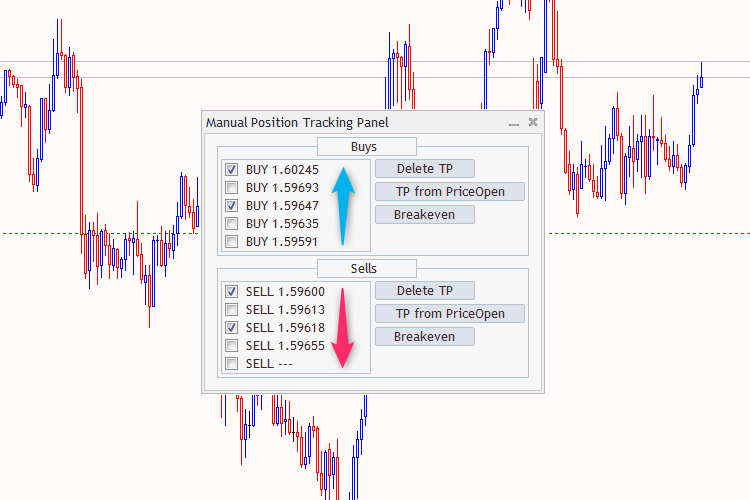
Fig. 1. Manual Position Tracking Panel
Positions are selected via checkboxes. Three actions are available for selected positions:
- Remove Take Profit
- Set Take Profit (the value is set in the input parameter‘Take Profit‘) from the opening price.
- Set Take Profit to the Breakeven point