Pending Panel MT5 — One-Click Pending Orders with OCO
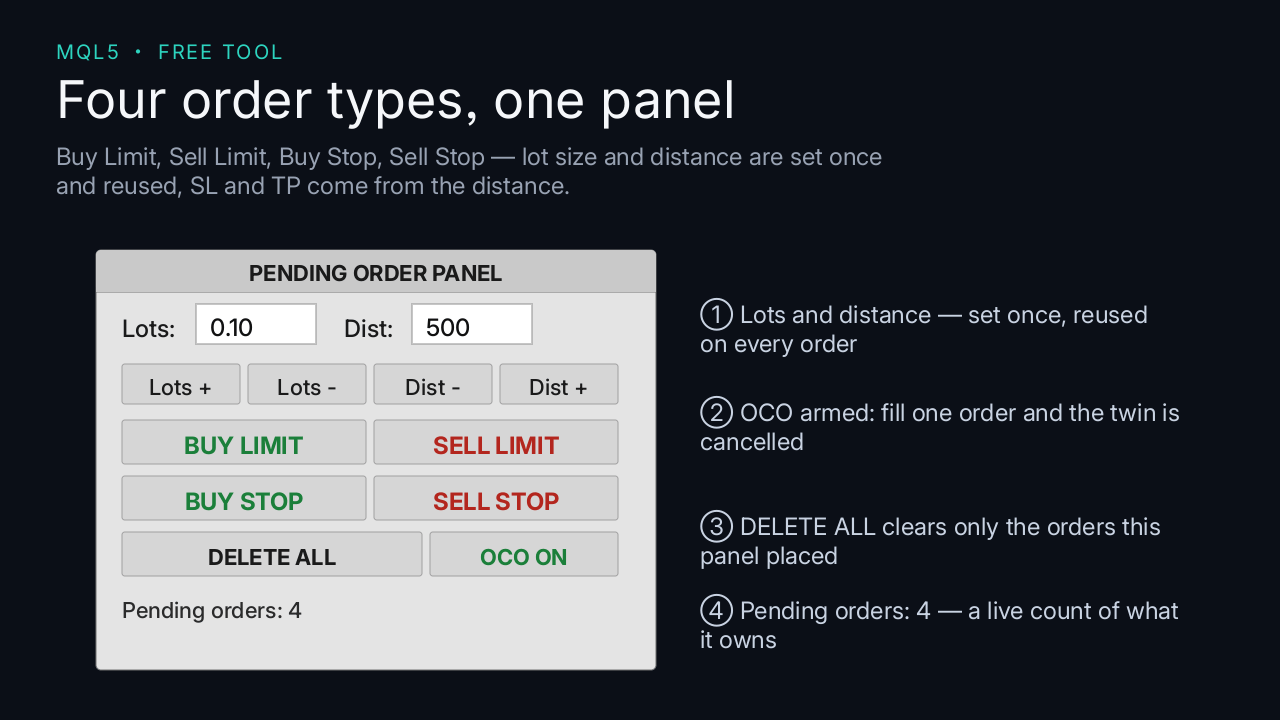
Pending Panel is a chart-based execution tool for MetaTrader 5 that places pending
orders with a single click: Buy Limit, Sell Limit, Buy Stop and Sell Stop.
Key features
– One click for all four pending order types
– Volume and distance adjustable directly on the panel (no recompile needed)
– Optional SL/TP attached to every pending order
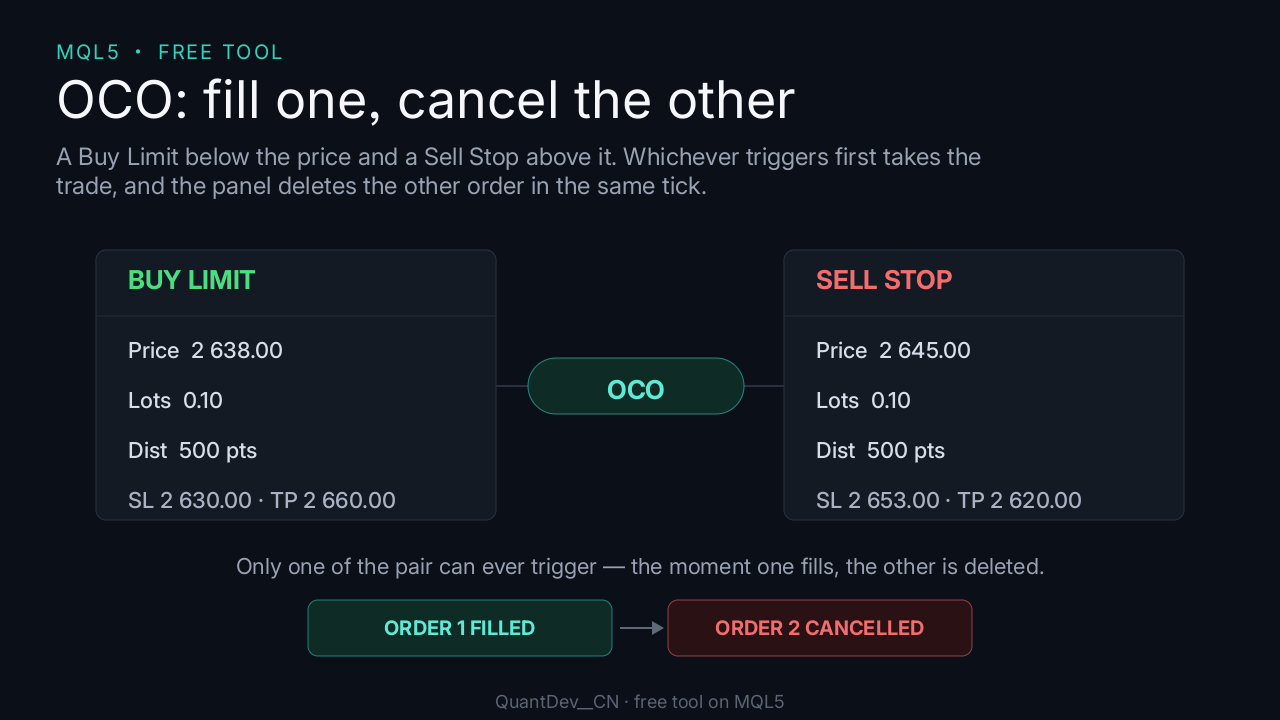
– OCO: when one order of a pair is triggered, the other is cancelled automatically
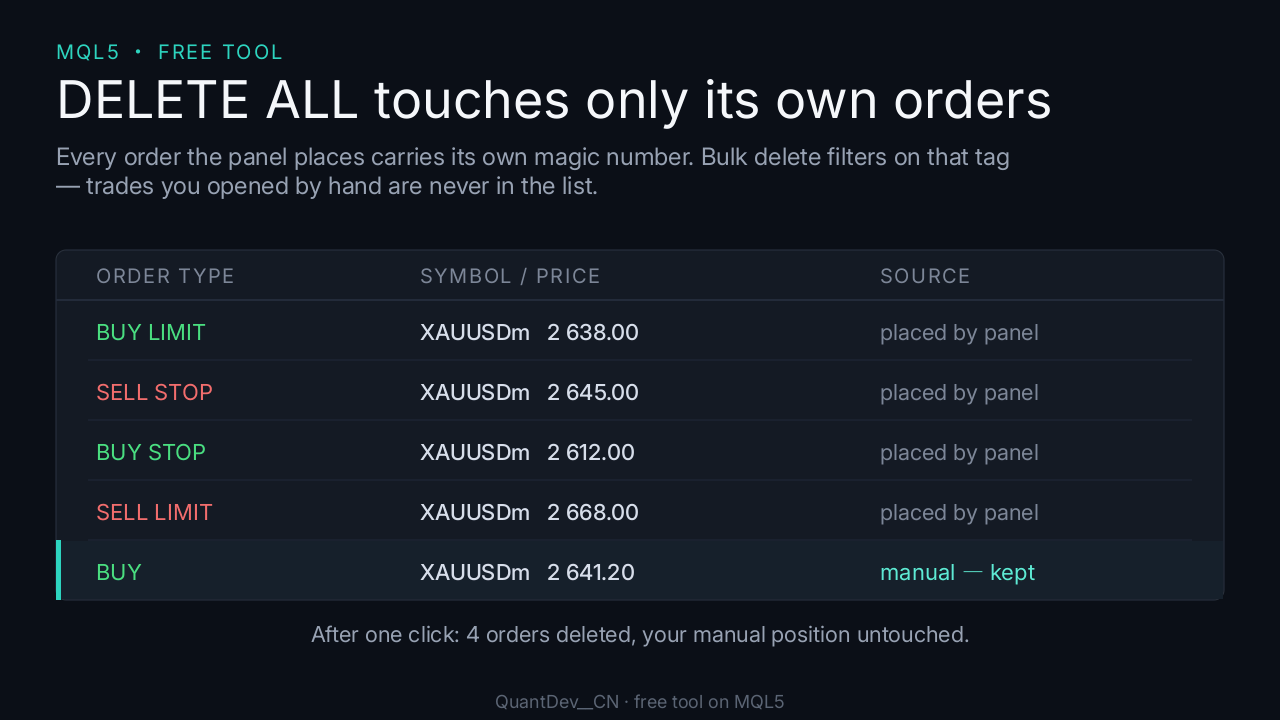
– Bulk delete of all pending orders placed by this EA
– Automatic detection of the broker’s STOPS_LEVEL and filling mode
– Live list of pending orders with type, volume, price and SL/TP
– Clean, dependency-free source code (standard library only)
How to use
1. Place PendingPanel.mq5 into MQL5Experts and compile it in MetaEditor (F7).
2. Attach the EA to any chart and enable “Allow Algo Trading”.
3. Adjust volume and distance with the +/- buttons on the panel.
4. Click one of the four order buttons to place a pending order.
5. Use DELETE ALL to remove all pending orders placed by this EA.
6. Toggle OCO to enable or disable one-cancels-the-other pairing.
Important notes
– Execution tool only: it does not analyse the market and generates no signals.
– Pending orders can be triggered by gaps or news spikes and filled far from the
requested price. Always attach SL/TP and monitor your exposure.
– The EA only manages orders carrying its own magic number; it never touches orders
placed manually or by other EAs.
– Broker restrictions (STOPS_LEVEL, FREEZE_LEVEL, filling mode) differ between
brokers. The EA detects and adapts to them, but verify on a demo account first.
– No trading result is guaranteed in any way.