Volatility Regime Shader
Volatility Regime Shader classifies market volatility into three regimes and shades the chart background accordingly. Instead of comparing ATR to a fixed value, it calculates the percentile rank of the current ATR within a lookback window. A percentile of 90 means the current ATR is higher than 90% of the values in that window, so the reading adapts automatically to any symbol and timeframe.
Bars at or below the Compression threshold are shaded light blue, and bars at or above the Expansion threshold are shaded light red. Normal bars are left unshaded by default. A label in the upper-right corner shows the current regime and ATR percentile.
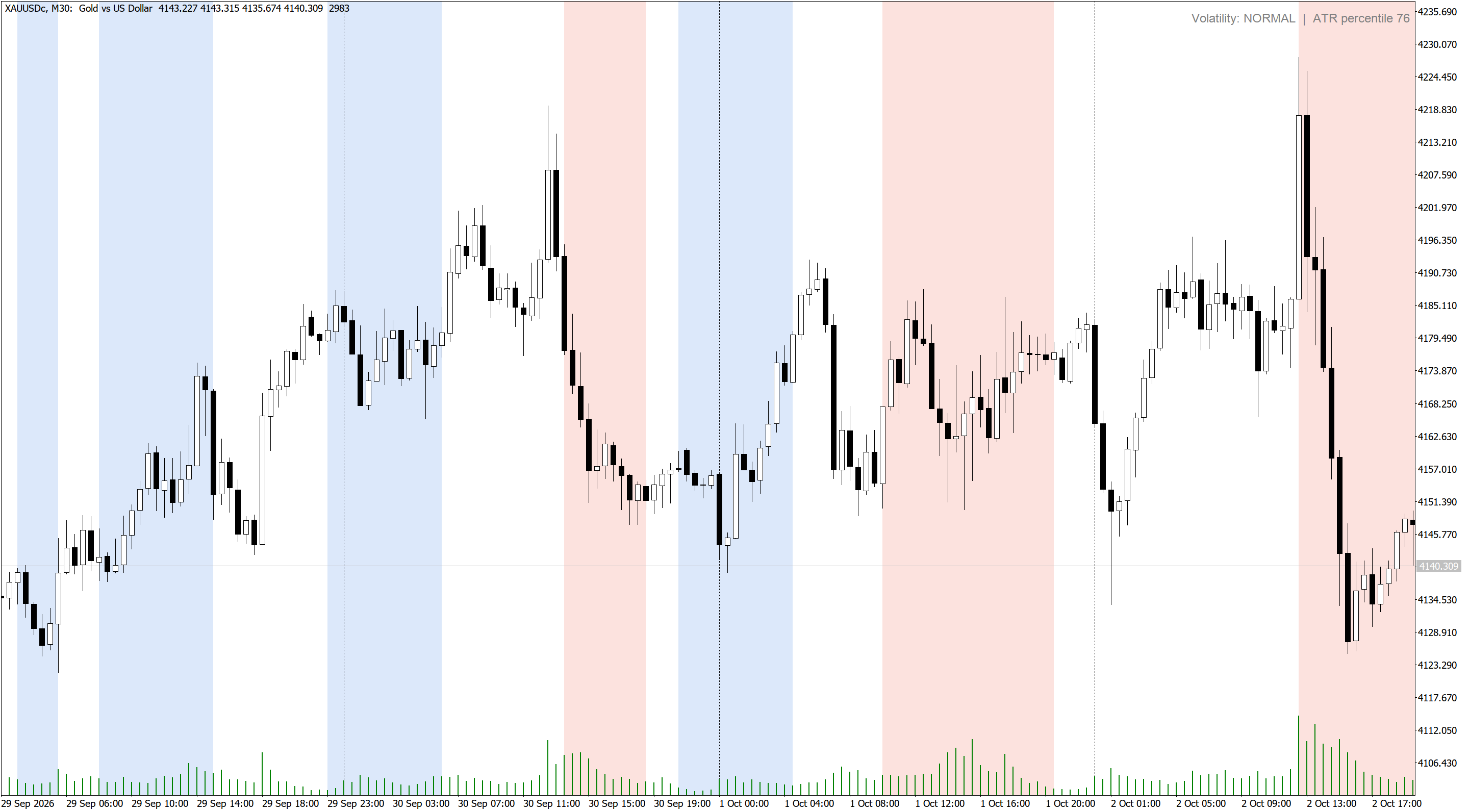
The regimes can be used as a filter for other strategies. Compression phases often come before breakouts, so breakout systems can wait for compression before arming. Expansion phases favor trend continuation and wider stops, while mean-reversion entries are usually safer in compression or normal conditions.

| Input | Description |
|---|---|
| ATR period | Period of the ATR used to measure volatility. Default 14. |
| Percentile lookback | Number of previous bars the current ATR is ranked against. Default 100. |
| Compression at or below percentile | Percentile at or below which a bar is classified as Compression. Default 20. |
| Expansion at or above percentile | Percentile at or above which a bar is classified as Expansion. Default 80. |
| Bars to calculate and shade | How many recent bars are calculated and shaded. Default 3000. |
| Compression / Expansion / Normal shade | Background colors for each regime. |
| Shade Normal regime | Also shades Normal bars when enabled. |
| Show current regime label | Shows the current regime and ATR percentile in the upper-right corner. |
| Pop-up / push / sound alerts | Alerts when a newly closed bar starts a different regime. |
Expert Advisors can read two buffers with iCustom. Buffer 0 holds the ATR percentile (0 to 100) and buffer 1 holds the regime code: 0 for Compression, 1 for Normal and 2 for Expansion. Both values are also visible in the Data Window. The values of the forming bar update with price, while alerts use closed bars only.