Sniper Pro
Introduction
Most traders enter positions based on a single signal such as a moving average crossover, without checking whether trend strength, momentum, volume, and market bias are all aligned in the same direction. This leads to a high rate of false entries. Sniper Pro was originally inspired by similar multi-confluence indicator concepts seen on TradingView and has been built from scratch in MQL5 with additional features suited to the MetaTrader 5 environment. It combines seven independent conditions into a scoring engine that only confirms a signal when a configurable minimum number of conditions agree simultaneously.
How the problem is solved
The indicator uses an EMA crossover as a trigger. When EMA 9 crosses EMA 21, it evaluates seven conditions at that specific bar: price position relative to VWAP, RSI above or below 50, MACD main line versus signal line, EMA cross direction, ADX strength with price context, volume versus its moving average, and M5 RSI for short-term momentum. A signal arrow is drawn only if the bull or bear score meets the minimum threshold set by the user. ATR-based stop-loss and five take-profit levels are calculated automatically on each signal. A built-in lot size calculator computes position size based on account balance and risk percentage. An optional session filter restricts signals to Asian, London, or New York hours. A live dashboard panel shows all indicator values, current bias, trend strength percentage, and active signal status. Source code is attached.
The table below lists all input parameters and their purpose:
| Parameter | Default | Description |
|---|---|---|
| InpATRMult | 1.5 | ATR multiplier used to calculate stop-loss and take-profit distances |
| InpATRPeriod | 14 | Period for the ATR calculation |
| InpEMAFast | 9 | Period for the fast EMA line |
| InpEMASlow | 21 | Period for the slow EMA line |
| InpRSI | 14 | RSI period applied on both the current timeframe and M5 |
| InpMACDFast | 12 | Fast period for the MACD calculation |
| InpMACDSlow | 26 | Slow period for the MACD calculation |
| InpMACDSig | 9 | Signal line period for the MACD |
| InpADX | 14 | Period for ADX trend strength measurement |
| InpVolMA | 20 | Period for the volume moving average baseline |
| InpUseFilter | true | Enables the multi-condition smart entry filter |
| InpMinScore | 4 | Minimum number of conditions out of 7 required to confirm a signal |
| InpUseSession | false | Enables filtering of live signals by trading session |
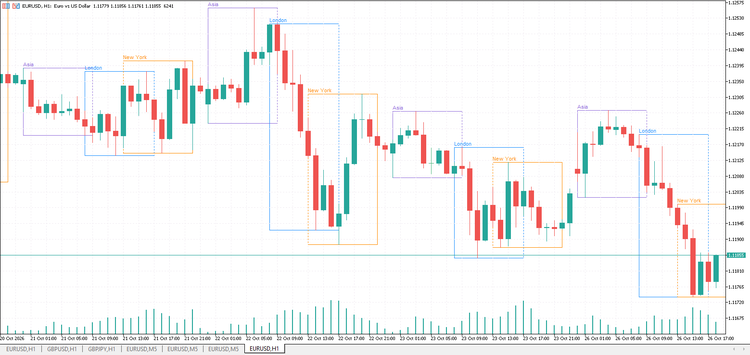
| InpAsian | true | Allows signals during the Asian session (00:00 to 08:00 GMT) |
| InpLondon | true | Allows signals during the London session (08:00 to 17:00 GMT) |
| InpNewYork | true | Allows signals during the New York session (13:00 to 22:00 GMT) |
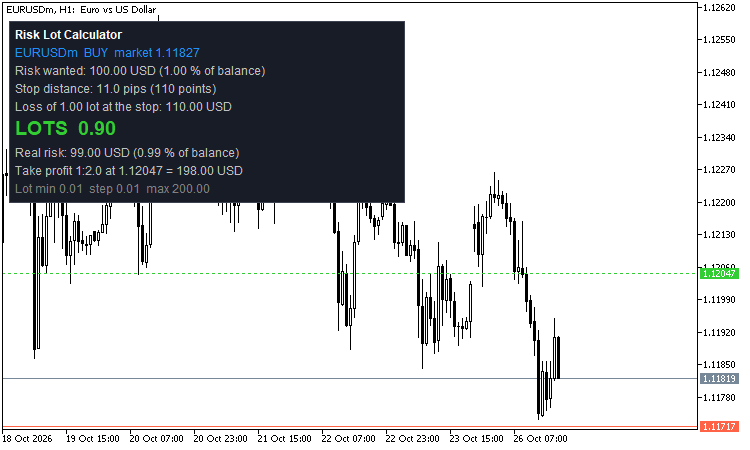
| InpLotCalc | true | Enables automatic lot size calculation on each signal |
| InpAccountBal | 0 | Custom balance for lot calculation. Set to 0 to auto-detect from live account. |
| InpRiskPercent | 1.0 | Percentage of account balance to risk per trade |
| InpPatterns | true | Enables candlestick pattern detection and display in the dashboard |
| InpDashboard | true | Shows or hides the on-chart dashboard panel |
| InpLevels | true | Draws entry, stop-loss, and all five take-profit lines on the chart |
| InpSignals | true | Draws buy and sell arrow markers on the chart at signal bars |
| InpAlerts | true | Fires an alert when each take-profit level is reached by price |

Conclusion
A ready-to-use MetaTrader 5 indicator inspired by multi-confluence concepts from TradingView and rebuilt from scratch in MQL5 with additional features. It filters EMA crossover signals through a seven-condition scoring system, draws ATR-based risk levels with five take-profit targets, calculates lot size automatically, detects common candlestick patterns, and displays all relevant market data in a single on-chart dashboard.