One-Click Trade Manager — risk-based lot size with entry, stop and target in one click
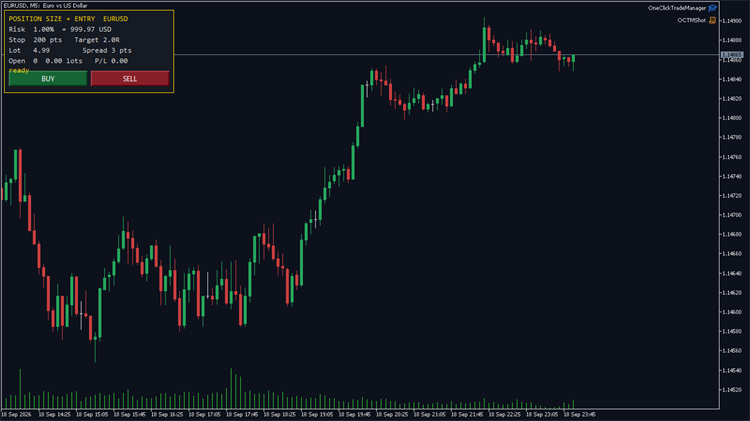
Most manual trading mistakes are arithmetic, not analysis. You size the lot in your head, the stop ends up wider than you meant, and a 1% trade quietly becomes a 4% one.
This panel does that arithmetic and nothing else. Every order comes from a button you press — it never opens a trade on its own.
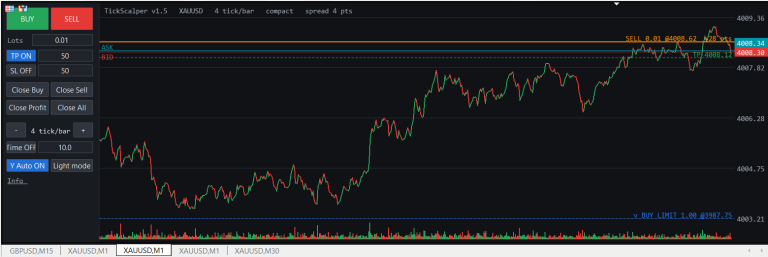
What the panel shows
– your risk percent and what it is worth in account currency right now
– the stop distance, fixed in points or sized from ATR
– the lot that makes those two agree
– the current spread, open volume and floating P/L
The buttons
– BUY / SELL — opens at market with the stop and the target already attached. The target is a multiple of the stop (2R by default, or off).
The details that usually get skipped
– The lot is rounded down to the volume step, never up — rounding up is how a risk limit becomes a suggestion.
– It is clamped by the broker’s volume limit and by free margin, so an order is not sent that the server will refuse.
– Stops respect SYMBOL_TRADE_STOPS_LEVEL and the freeze level, widened by the current spread.
– On a netting account an opposite order would reduce the position instead of opening one, leaving the stop unattached — the panel says so instead of sending it.
– Every rule is an input, including the magic number and the maximum spread.
Self-test included. Set InpSelfTest to true and run it in the Strategy Tester: it exercises the calculator and the entry path and prints a PASS/FAIL line for each check. The published build passes 7 of 7 on EURUSD M5, including the one that matters — the risk actually taken equals the risk asked for. Tested on MetaTrader 5, hedging and netting.