MSB Pro ALGO Position Risk Monitor for MT5
MSB Pro ALGO Position Risk Monitor is a free visual risk monitoring indicator for MetaTrader 5.
The indicator analyzes currently open positions and displays their stop-loss risk directly on the chart.
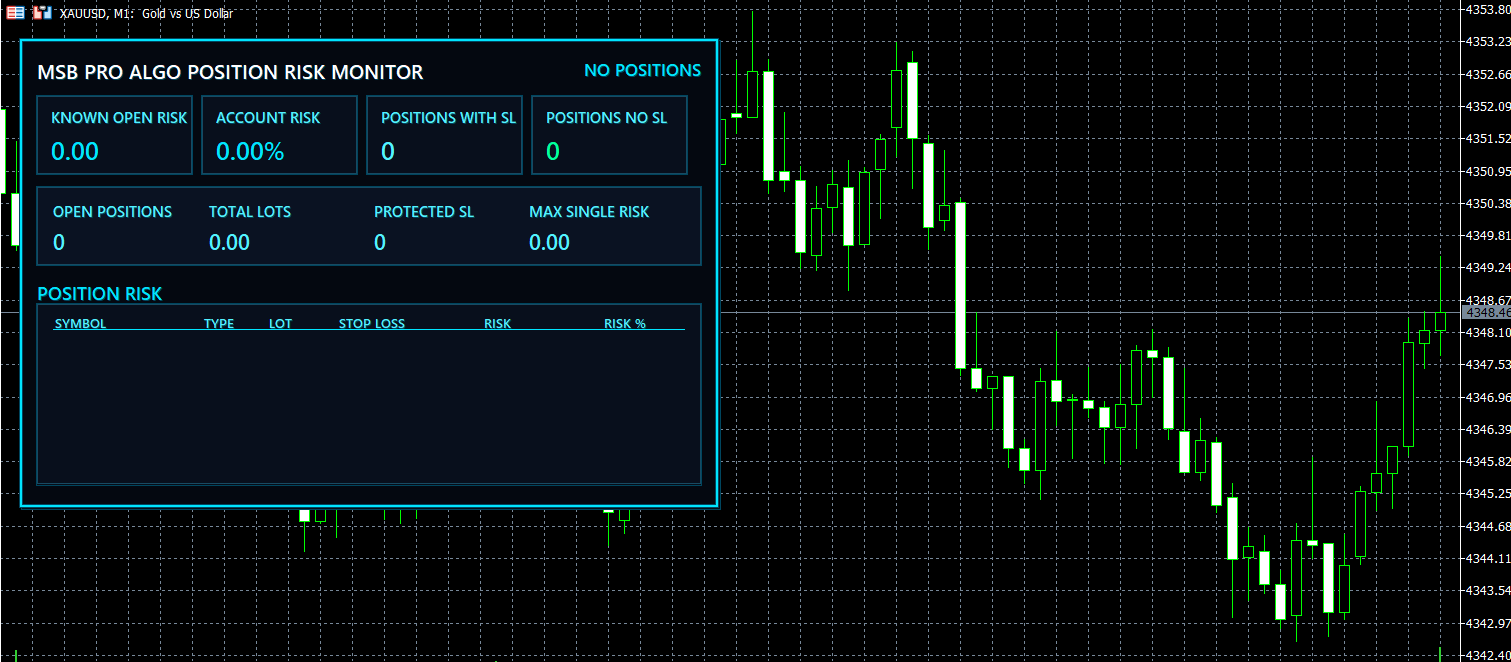
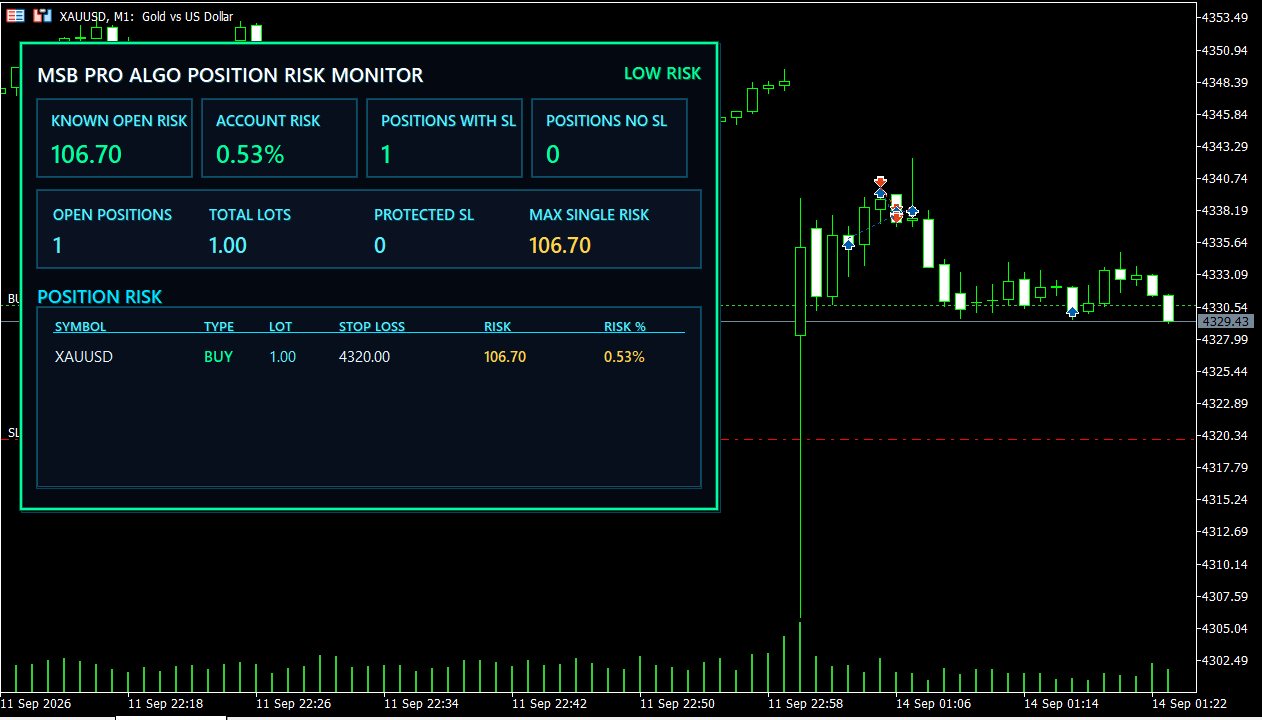
Main Features
• Total known open risk
• Account risk percentage
• Number of positions with Stop Loss
• Number of positions without Stop Loss
• Total open positions
• Total lot size
• Protected / breakeven Stop Loss count
• Maximum single-position risk
• Individual position risk table
• Symbol
• BUY / SELL position type
• Lot size
• Stop Loss price
• Monetary risk
• Risk percentage
• LOW RISK / MODERATE RISK / HIGH RISK status
• Warning when a position has no Stop Loss
• Automatic refresh
• Customizable risk thresholds and colors
Risk calculations use the broker’s symbol specifications and MetaTrader 5 profit calculation functions.
Risk percentage is calculated relative to current account equity. If equity is unavailable, account balance is used as a fallback.
A Stop Loss at or beyond the entry price is considered protected and its remaining entry-to-stop loss risk is shown as zero.
If an open position has no Stop Loss, the dashboard warns that the total downside is unbounded while still displaying the known risk of positions that do have a Stop Loss.
The indicator is read-only.
It does not open, close or modify trades.
It contains no automatic trading strategy.
The indicator can work together with MSB Pro ALGO Neon Account Dashboard. When Auto Coexist is enabled, the risk monitor automatically tries to position itself beside the account dashboard on the same chart.
No DLLs, WebRequest, external APIs or additional files are required.
Installation
1. Download the indicator.
2. Open MetaTrader 5.
3. Attach MSB Pro ALGO Position Risk Monitor to any chart.
4. The monitor will automatically analyze current open positions.
5. Adjust panel position, refresh interval and risk thresholds from the Inputs tab if required.
| Input | Default | Description |
|---|---|---|
| InpPanelX | 18 | Horizontal position of the panel on the chart |
| InpPanelY | 38 | Vertical position of the panel on the chart |
| InpRefreshSeconds | 1 | Dashboard refresh interval in seconds |
| InpMaxRows | 6 | Maximum number of open positions displayed |
| InpAutoCoexist | true | Automatically positions the Risk Monitor beside the Neon Account Dashboard |
| InpLowRiskPct | 2.00 | Upper threshold for LOW RISK |
| InpHighRiskPct | 5.00 | Threshold for HIGH RISK |
| InpAccentColor | — | Main neon accent color |
| InpAccentSoft | — | Secondary accent color |
| InpProfitColor | — | Color for protected/positive information |
| InpWarningColor | — | Color for warnings and moderate risk |
| InpLossColor | — | Color for high-risk alerts |
Version 1.10 Update
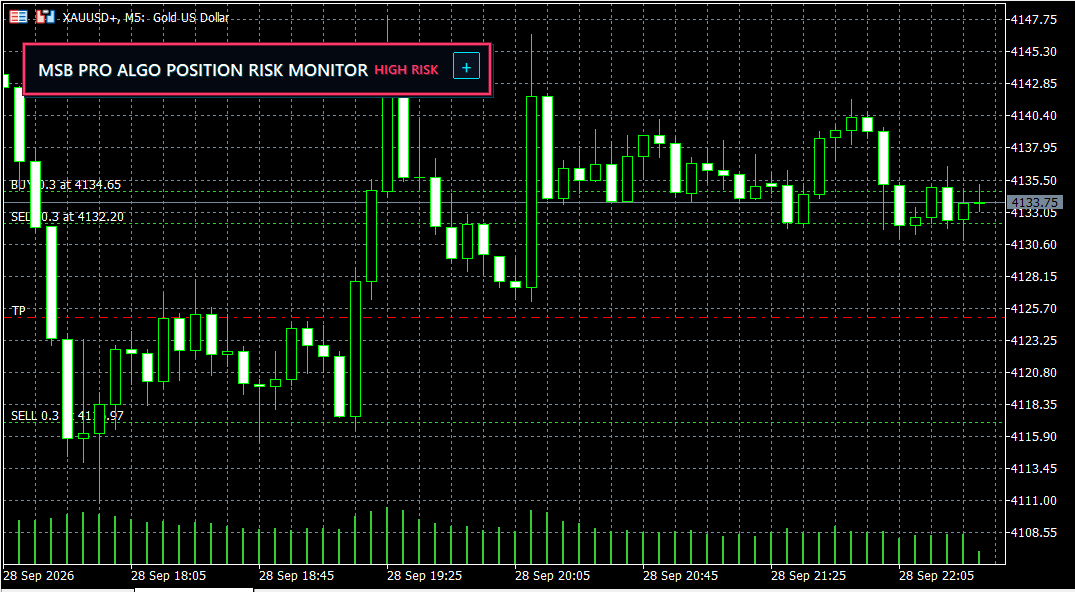
Added minimize/restore button to save chart space.
- Added adjustable UI scale from 60% to 140%.
- Added optional memory for minimized state.
- Improved usability on different screen sizes.
- Risk calculation logic remains unchanged.
Developed by Kemal Mustafa Ozkan
MSB Pro ALGO