iCrosshair – Real-Time Candle Metrics on Hover
iCrosshair – Real-Time Candle Metrics on Hover
Interactive crosshair indicator with real-time candle analytics displayed in a single-line info bar. Complete rewrite of the original iCrosshair.mq4 (2015-2016) for MetaTrader 5.
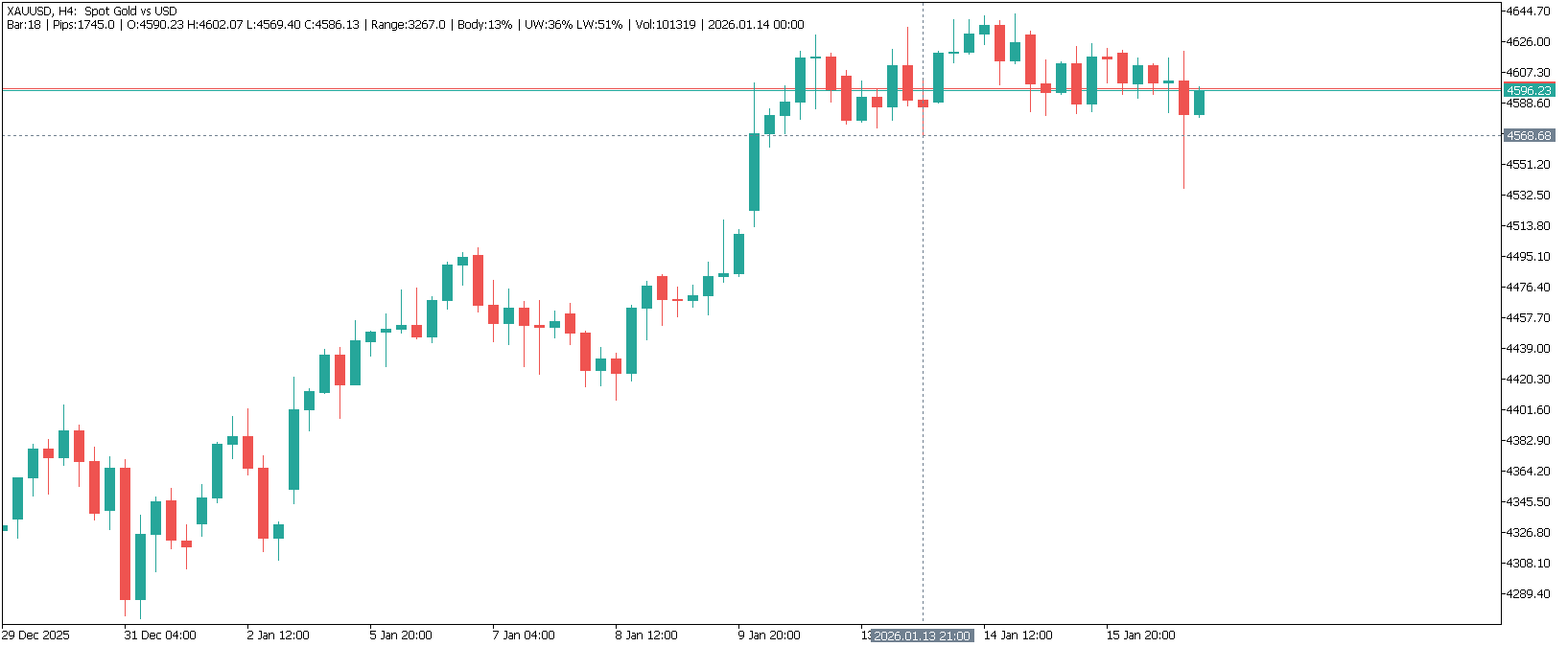
Features
- Keyboard Shortcut – Press ‘T’ to toggle tracking mode instantly
- Compact Info Bar – All analytics in a single line at the top-left corner
- Analytical Metrics – Range, Body%, UW% (Upper Wick), LW% (Lower Wick)
- Universal Support – Forex (pips), Metals, Indices, Crypto (points)
- Close Time – Full date and time of candle close
- Optimized – Smart caching, debounced rendering (20 FPS)
Info Bar Format
Bar:5 | Pips:12.3 | O:1.0850 H:1.0875 L:1.0820 C:1.0860 | Range:55 | Body:40% | UW:25% LW:35% | Vol:1234 | 2026.01.15 14:00
| Metric | Description |
|---|---|
| Bar | Bar index from current (0 = current bar) |
| Pips | Distance from cursor to bar’s close price |
| O/H/L/C | OHLC prices (compact format) |
| Range | Total candle size in pips/points |
| Body% | Body as percentage of Range |
| UW%/LW% | Upper/Lower Wick as percentage of Range |
| Vol | Tick volume for the bar |
| Close Time | Date and time of candle close |
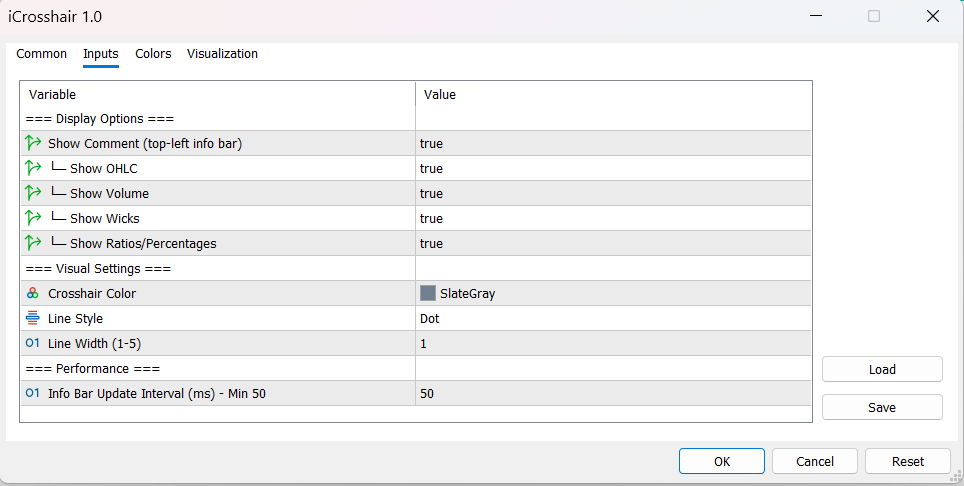
Parameters
Display Options
- ShowComment (true) – Show/hide the info bar
- Show_OHLC (true) – Include O/H/L/C prices
- Show_Volume (true) – Include tick volume
- Show_Ratios (true) – Include Range, Body%, UW%, LW%
Visual Settings
- LineColor (SlateGray) – Crosshair line color
- LineStyle (Dot) – Line style
- LineWidth (1) – Line thickness (1-5)
Performance
- InfoUpdateInterval (50ms) – Info bar update frequency
How to Use
- Add indicator to any chart
- Hover over any candle to see instant analytics
- Press ‘T’ or click lines to freeze/unfreeze
- Frozen lines can be used as Support/Resistance references
Technical Details
- MQL5 native architecture (64-bit optimized)
- Smart caching with sliding window (200 bars)
- Debounced rendering at 20 FPS – reduces CPU by ~80%
- Comprehensive bounds checking and error handling